Shop
Wood R Us
- Go here to
- Buy axes, sawmills, conveyors and building blueprints.
- Where / access
- In the Main Biome, in front of the spawn area.
- Before you go
- Check the current shelf price before buying an upgrade.
Map
This guide summarizes historical community references. Current stock, route conditions and quest rewards have not been tested by this site. Check your server before committing money or cargo.
Editorial update: Oct 9, 2026
Choose a destination by what you need to do. Keep the English place names handy when following in-game signs or community guides.
Community-reported information, not game-tested. Sources were checked through search-index text on 8 October 2026; the search results reported a crawl about three months earlier. Confirm access and prices in your current server.
This original schematic groups the relationships reported in the directory. It does not show geographic positions or connect the separate destination routes. Select a named landmark to read its access notes.
Land Store is beside Wood R Us; Wood Dropoff is on its right side. The node placement is diagrammatic.
Bridge connects Main Biome and Safari. Check the attendant and plan the return crossing.
From Taiga, a mountain passage leads to Taiga Peak. Check entrance boulders and the narrow upper crossing.
The reported vehicle approach follows the Mountainside gravel road to Volcano. Check hazards before loading up.
Shop
Shop
Sell point
Crossing
Wood destination
Wood destination
These entries describe landmarks and access conditions. Distances, compass positions and a turn-by-turn route have not been verified.
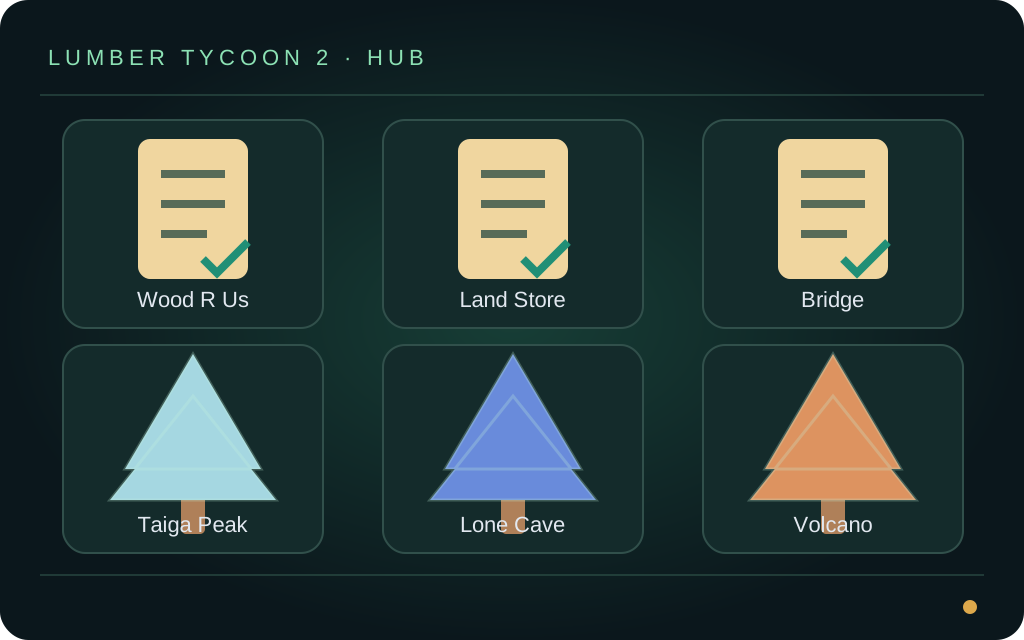
Original illustration for orientation. It is not a game screenshot, measured map or test record. Read the accompanying guide for reported facts, sources and limitations.
This guide summarizes historical community references. Current stock, route conditions and quest rewards have not been tested by this site. Check your server before committing money or cargo.
Use the landmark directory to connect Wood R Us, the Bridge, Mountainside, Taiga Peak and Lone Cave with their reported access conditions. The diagrams illustrate relationships; they are not surveyed coordinates, a scale map or a guarantee that a route is open.
Start with equipment you can afford and a short return route. Check the item name and cost in your server before purchase, keep enough money for the return journey, and change one part of your setup at a time so you can compare the result.
Look for the corresponding landmark in your server and compare access conditions before buying supplies. If a gate, dialogue, item requirement or return path differs, pause the route and verify that step. Historical instructions do not establish today’s timers or vehicle access.
Test a small load with your own vehicle. Capacity depends on piece dimensions and loading, so enter a capacity measured in the same unit as your total cargo. Check both the outward and return route; no fixed journey time or safe shortcut is promised.
The shared catalog covers Oak, Elm, Birch, Volcano/Lava, Frost/Ice and Phantom. Reported locations and axe compatibility are shown with their evidence status. This is a selected reference catalog rather than an exhaustive list of every tree in the game.
Record travel, harvesting, loading, processing and sale time together. Subtract the costs actually paid from the sale receipt. Compare net income per minute only for trips you measured; this site does not provide a verified money-per-hour ranking.
Original diagram animation with planning notes. Chapter times belong to the clip; they are not measured travel or gameplay times.
🎬 Original diagrams assembled into an annotated animation. This is an illustration, not gameplay footage or evidence of current routes, rewards or earnings.
Use this diagram to orient yourself, then read the text guide for evidence and limitations.
Schematic only; not a screenshot or recording of a game session.
Check the prerequisites described in the guide against your current server before spending resources.
Community reports can describe older conditions. Stop if your session differs.
Plan one manageable test before committing to a larger load or longer route.
The diagram does not certify a safe route, load capacity or item availability.
Record your observations and costs. This illustration cannot prove current mechanics or predict earnings.
Keep units, dates and any changes in piece dimensions with your notes.
Use the related guide or tool to review your next action with the evidence you have collected.
No measured profit, time-saving percentage or guaranteed outcome is claimed.
This guide summarizes historical community references. Current stock, route conditions and quest rewards have not been tested by this site. Check your server before committing money or cargo.
→This guide summarizes historical community references. Current stock, route conditions and quest rewards have not been tested by this site. Check your server before committing money or cargo.
→This guide summarizes historical community references. Current stock, route conditions and quest rewards have not been tested by this site. Check your server before committing money or cargo.
→Narrow your axe choices or explore a wood-sale estimate with visible assumptions and no account required.
→